Flowchart or BPMN: which to choose?
Both map out processes. But they don't speak to the same readers, and they don't do the same job. Here's how to decide — and why you may not have to choose at all.
Two languages for two audiences
The flowchart
The universal language of « who does what, and in what order ». Steps, Yes/No questions, arrows: everyone can read it without training, from the new hire to the CEO.
It's the tool for procedures, standard operating procedures and work instructions — wherever immediate clarity matters more than formal rigour.
BPMN 2.0
An international standard for business process modelling, with a precise visual vocabulary: events, typed tasks, gateways, swimlanes. Every symbol has a defined meaning — no room for interpretation.
It's the tool of process designers, IT implementation projects and exchanges between organisations: a BPMN process reads the same way anywhere in the world.
The real difference, then, isn't visual — it's about audience. A flowchart speaks to everyone, instantly. A BPMN diagram speaks precisely, to those who know the standard — and it's increasingly expected in tenders, structured quality initiatives and automation projects.
How to decide, in practice
Choose the flowchart when your readers are your own teams: an onboarding procedure, an approval workflow, a workstation instruction. The goal is for everyone to understand in ten seconds; the simplicity of the flowchart is made for exactly that.
Choose BPMN when precision becomes contractual or technical: a process that spans several departments or several companies, a flow meant to be automated, a project where BPMN is explicitly required. Swimlanes assign each task to its owner, and gateways draw an unambiguous line between « or » and « and ».
And often, do both : a rigorous BPMN map to steer by, simple flowcharts to put into practice. Both views describe the same reality at two levels of reading.
The right tool: the one that does both
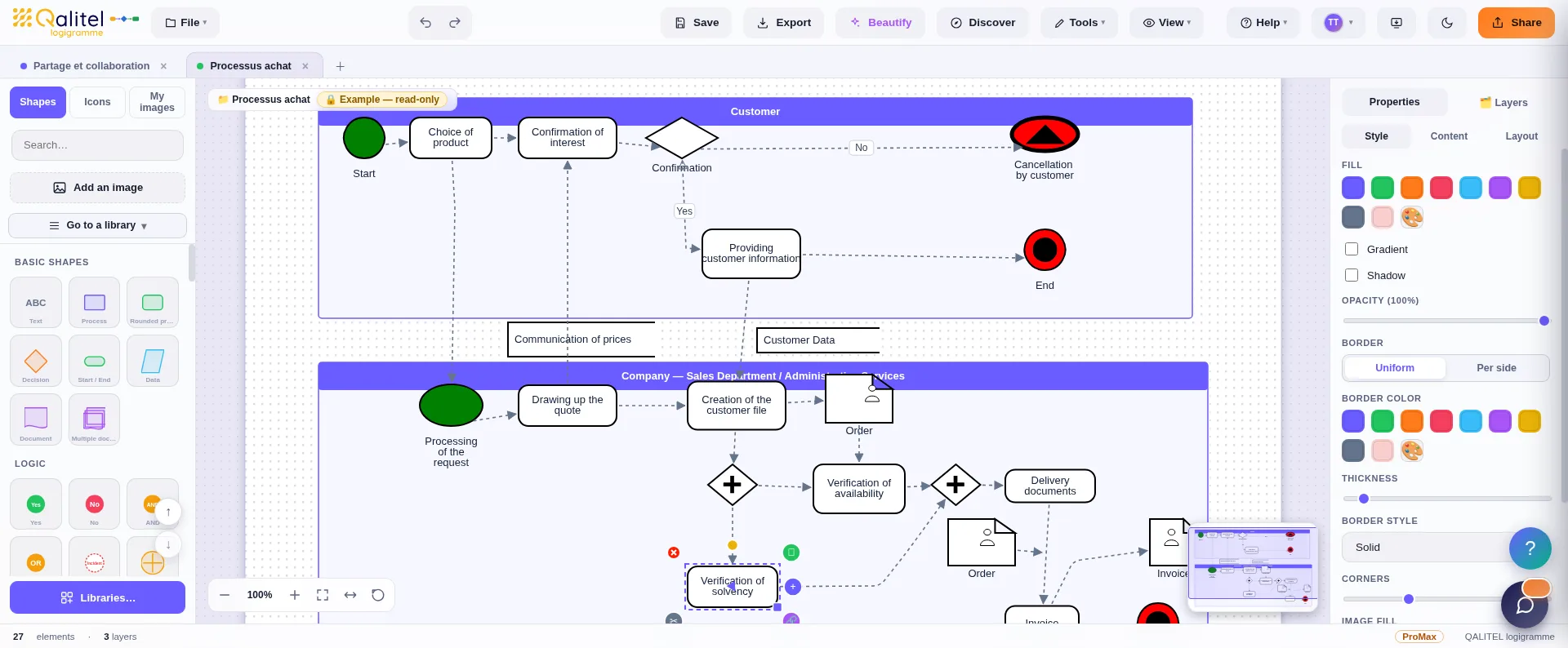
If flowcharts and BPMN live in two different tools, the dual view becomes dual data entry — and it dies at the first update. In QALITEL logigramme, the two live side by side in the same editor: you draw your flowcharts freely, and when a process deserves the standard, the BPMN 2.0 library is right there — events, gateways including the Parallel gateway, typed tasks, sub-processes, data objects, swimlanes.
Swimlanes are available from the Pro version ; the complete BPMN 2.0 library is part of the ProMax version. The standard in detail, inside the tool: our BPMN 2.0 page.
Try both, in the same tool
QALITEL logigramme runs in your browser — you can try it without creating an account.
Create a flowchart →