The quality manual in flowcharts: procedures people actually read
A quality manual is only useful if it's read. Yet ten pages of text describing an approval workflow — nobody reads them; a one-page flowchart, everyone understands. Here's how to build a quality manual in flowcharts, and above all how to keep it up to date without spending weeks on it.
Why the flowchart is the quality manager's best friend
ISO 9001 is built on the process approach: identify your processes, their interactions, their owners. The flowchart is the natural visual translation of that requirement — each procedure becomes a visible chain of steps, decisions and responsibilities you can follow with your finger.
The method, in four steps
1. Map it out first. An overview of your processes — management, operational, support — and their interactions. It's the map of the manual; each process will point to its detailed procedures.
2. One flowchart per procedure. One page, a start, an end, decisions as diamonds, owners clearly identified — for instance with swimlanes when several departments are involved. Text isn't banned: it comments, it no longer describes.
3. Link the documents together. A procedure calls for a form, an instruction, a record: attach them directly to the shapes concerned, rather than maintaining cross-references that go out of date.
4. Publish in the format people actually open. The manual rarely lives in the drawing software: it lives in a Word document, a PDF, an intranet. That's where keeping it up to date becomes the number one challenge.
The real problem: updating — and its solution
Every quality manual dies the same death: the procedure changes, the flowchart is redrawn, but the Word manual, the intranet and the printouts keep the old version. That's exactly the problem solved by living documents in QALITEL logigramme: a flowchart inserted into Word, Excel or PowerPoint stays linked to its source — it updates inside the document when you edit it in the editor. Your quality manual stops being an outdated snapshot.
And for reviewing procedures, sharing does the rest: an always up-to-date read-only link for readers, real-time co-editing for authors — and, in the ProMax edition, comments anchored shape by shape to gather feedback in the right place, with a revision history to track who changed what.
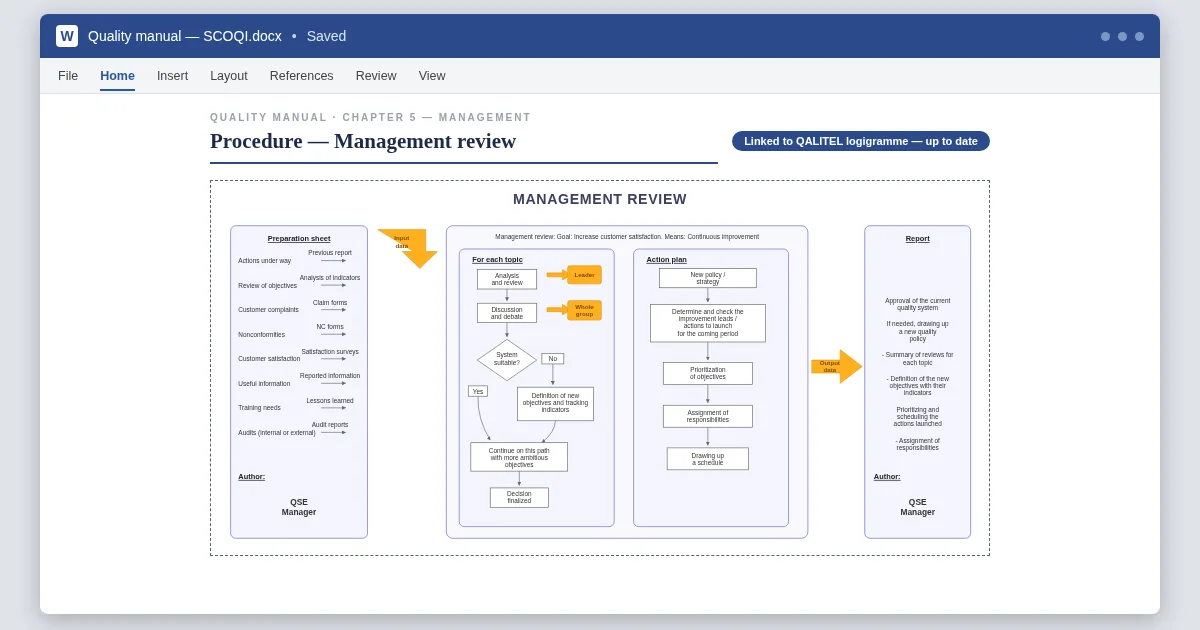
Swimlanes are available from the Pro version ; living documents, sharing and PDF export from the ProAd version ; anchored comments and revision history with the ProMax version.
Your first procedure, now
QALITEL logigramme runs in your browser — you can try it without creating an account. A French quality-software publisher since 1993.
Create a flowchart →